Chrome extension
Fathom indicators,
on your TradingView chart.
The Fathom Charts extension draws Fathom indicators directly on TradingView charts in Chrome: footprint ladders, large trades, effort zones, VWAP and the rest of the catalog, on the futures chart you already use. In real time with a Live plan.
Works with the free Sandbox · Chrome and Chromium-based browsers 116+
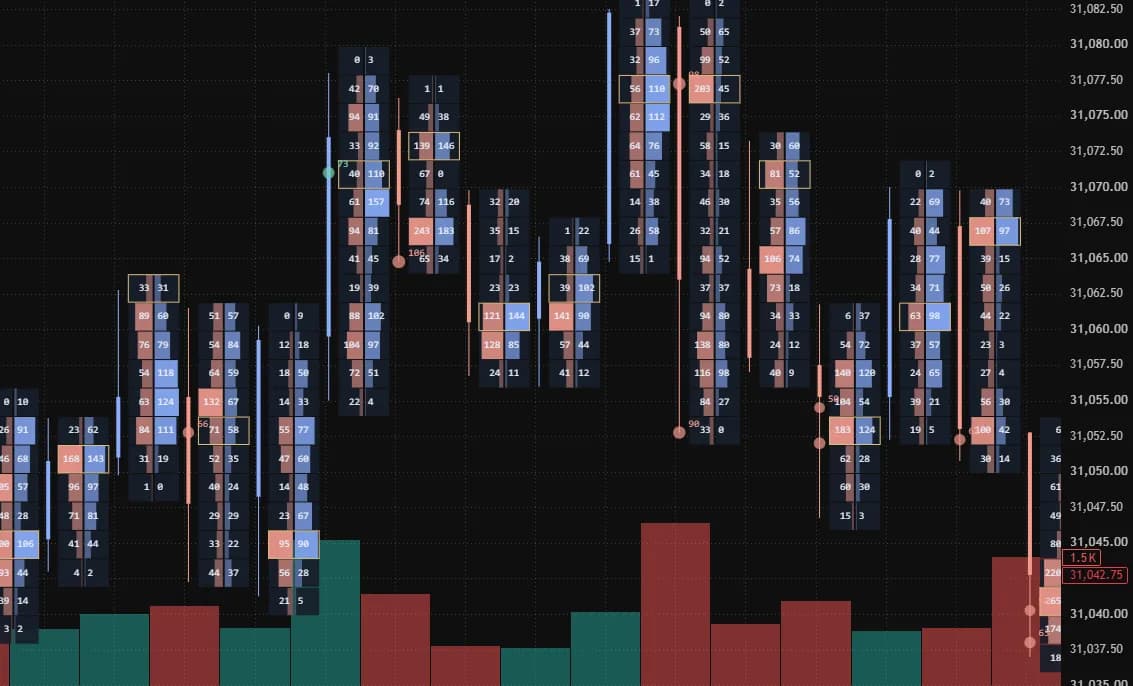
Your chart, read by Fathom.
The extension paints over the chart you have open. It follows that chart and leaves your TradingView layout as it is.
Follows your chart
Change the symbol or the interval, zoom or scroll: the indicators follow the active chart, on its time and price scales.
Real time with a Live plan
With a Live plan, the indicators update as trades print, with the last 7 days of history. The free Sandbox shows them with a 10-minute delay and 7 days of history.
Footprint between the bars
With Fathom Footprint on, TradingView’s candles give way to thin candles with a ladder beside each one, as on the Fathom chart.
History as you scroll
Scroll to the left and earlier data loads as you go, within the history of your plan.
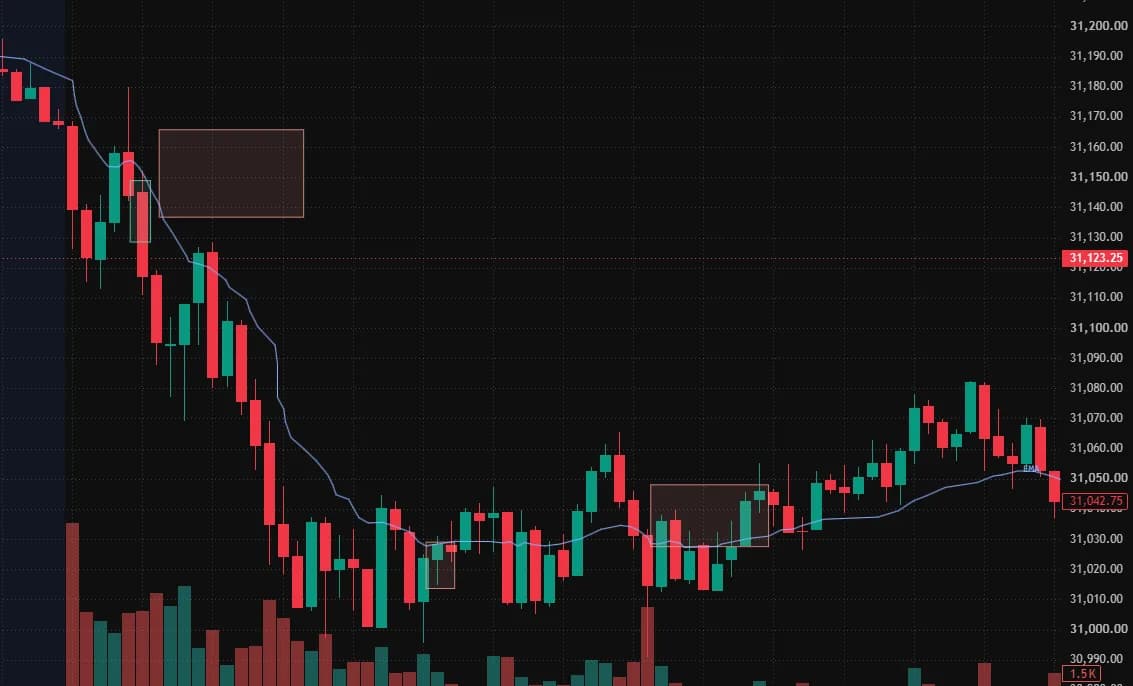
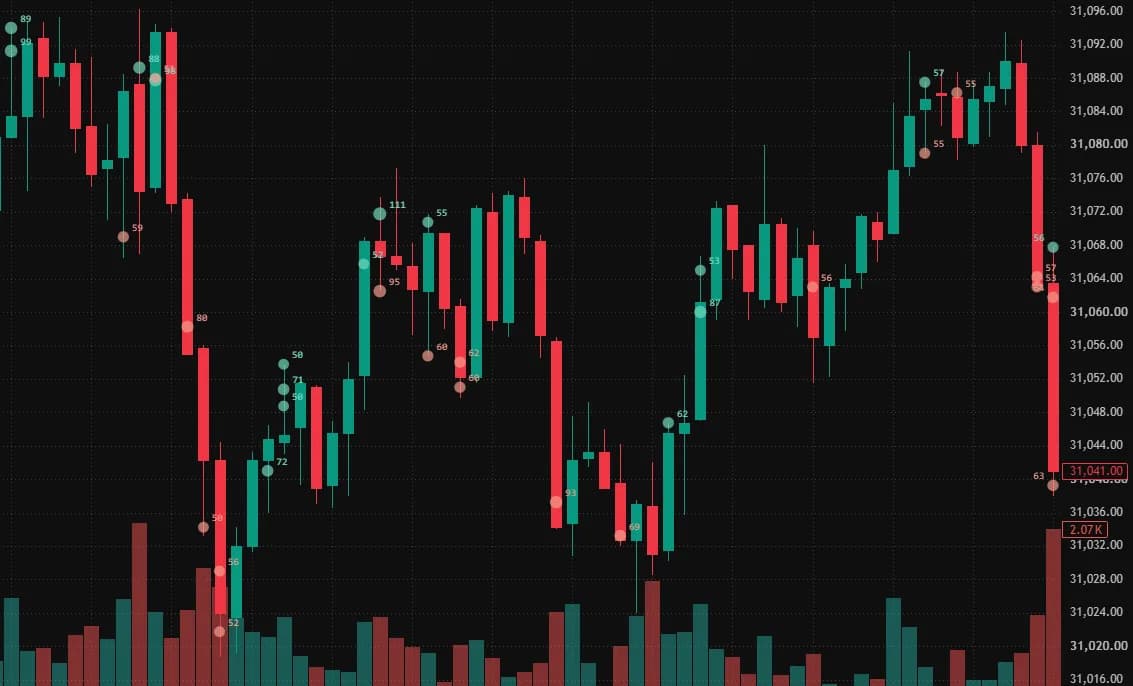
All 10 Fathom indicators
Tick the ones to draw in the extension. Indicators built on bars follow the chart interval.
- Fathom TradesAny interval up to 1 day
- Fathom FootprintIntervals up to 1 day
- Fathom ZonesAny interval up to 1 day
- Fathom WallsIntervals up to 1 day
- Fathom FlowIntervals up to 1 day
- Fathom ImbalancesIntervals up to 1 day
- Fathom VWAPIntervals up to 1 day
- Fathom LevelsIntervals up to 1 day
- Fathom ProfileIntervals up to 1 day
- Fathom OpeningIntervals up to 1 day
Install it
The extension installs from the Chrome Web Store, like any other Chrome extension, and Chrome updates it on its own.
Open its Chrome Web Store page
Add it to Chrome
Click Add to Chrome, then Add extension. Chromium-based browsers such as Edge or Brave install it from the same page.
Pin it
Open the extensions menu (the puzzle piece next to the address bar) and pin Fathom Charts, so that its icon stays in the toolbar.
Updates install on their own when a new version is published. Your key and indicators are kept.
Use it
Create an API key
In your account, open API keys and create a key. It follows your plans: free on the Sandbox with data delayed by 10 minutes, real time with the Live plan. Copy the key: it is shown only once.
Paste it in the extension
Click the Fathom Charts icon in the toolbar and paste the key. The extension checks it, then shows its start, as in your account, and your plan, with the delay of its data if there is one.
Choose the indicators
Tick the indicators to draw: each box is saved as you tick it. Once your plan’s subscriptions are used, the other boxes are disabled until you untick one.
Open a futures chart
On tradingview.com, open a chart of a futures product covered by Fathom, as its continuous series such as
NQ1!or a dated contract such asNQZ2026, at an interval up to 1 day, such as 1 minute. The indicators appear on the chart.Scroll back in time
Scroll the chart to the left: earlier data loads as you go, within the history of your plan.
Limits and questions
Which symbols are supported?
The futures products covered by Fathom, through their continuous series that follows the front contract, such as NQ1!, or a dated contract such as NQZ2026. Other continuous series, such as NQ2!, are not covered. On a symbol that is not, the extension’s popup says so and lists the covered ones.
Which chart intervals work?
Intervals up to 1 day. Fathom Trades and Fathom Zones draw on any of them. The other indicators are built on bars that follow the chart interval, which must then be one of the bar durations of Fathom, from 1 second to 4 hours or 1 day. Like TradingView's, 4-hour and 1-day bars start at the session open. Weekly and longer intervals draw nothing.
How many indicators can I draw at once?
Each indicator you tick uses one stream subscription of your plan, shared with your other connections on the same account. The free Sandbox has 2, Live plans have more: see the plans.
Is the data real time?
With a Live plan, yes, and the last 7 days of history load without limit. With the free Sandbox, data is delayed by 10 minutes and history covers the last 7 days, counted toward its compute budget like any history request (limits).
Which browsers are supported?
Chrome 116 or later and Chromium-based browsers of the same version, such as Edge or Brave, on a computer. Firefox, Safari and mobile browsers are not supported.
Does it change my TradingView layout?
No. The extension adds no drawing, study or style to your layout and saves nothing in it: it paints over the chart while it is on. With Fathom Footprint, TradingView’s candles are not drawn while the footprint shows; your layout keeps them.
Can a TradingView update break it?
It can. The extension relies on TradingView’s web page, not on a public interface, so a TradingView release can stop it from drawing until an updated version reaches the Chrome Web Store, which Chrome installs on its own.
Where is my API key stored?
In your browser’s extension storage, on your computer. The extension sends it only to api.fathomcharts.com, never to TradingView. From TradingView, it reads only the active chart’s symbol, interval and bars, to place its drawings.
Ready to draw?
TradingView is a trademark of its owner. Fathom Charts is not affiliated with, endorsed by or sponsored by TradingView.